

Dads Gaming Monthly 5x AU PvE - Raid Bases offers a Rust server. A skill tree is part of progression.
274 servers to explore
Rust servers with monthly wipes
These Rust servers list a monthly wipe schedule. Compare activity and rules before joining. The listed frequency does not confirm the last or next wipe date. Check the community’s calendar and whether the reset affects the map or blueprints.
274 servers to explore
How results are ranked
Servers are ordered by descending player count, using measurements less than four minutes old. Missing or older measurements come afterwards. Ties are ordered by name, A to Z.
Your filters narrow the displayed servers.
Deadlock n Chill is a Rust server. Players choose PvE, PvP or Raw mode. Groups are limited to three online players, with no sleeper limit. Raiding is blocked until the final week of the cycle. A few mods add convenience features.
This 2x edition of DOPE RUST limits groups to 3 players and forbids truces between groups. Playtime earns permanent ranks across the DOPE RUST network.
DOPE RUST Solo/Duo is a Rust server. Groups are strictly limited to two players, and truces are forbidden. Playtime earns permanent ranks across the DOPE RUST network.
This 2x edition of DOPE RUST enforces a strict solo limit. Playtime earns permanent ranks across the DOPE RUST network.


DutchRust PVE Zombies offers a Rust server. Quests are among the available activities. Raidable bases are among the advertised features.

23 players
[EA] Facepunch 2 is an official Rust server owned and operated by Facepunch. Its rules allow players to use the language of their choice and warn that abusive behaviour can result in a ban.
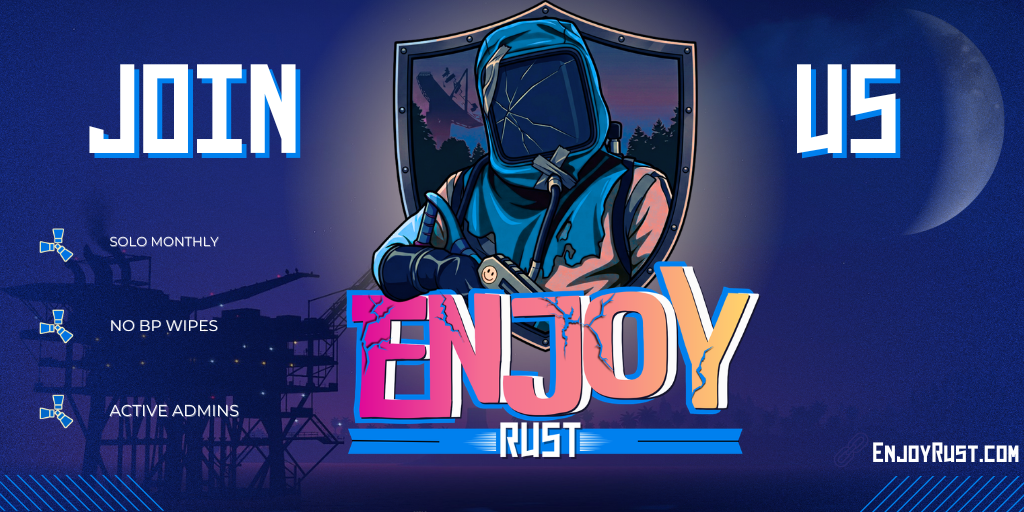

Enjoy Solo Monthly advertises a solo format since 2022, with monthly map wipes and retained blueprints. Teaming is prohibited. It organizes monthly community events; map voting and queue skips are presented as donor benefits.
3 players
SusRust advertises a skill system for this Rust variant.

On September 26, 2026, Drafty Kilts advertised PvE without decay or upkeep, with progression bonuses for gathering, crafting and raids. PvE raids ranged from easy to impossible and could be purchased with in-game currency.

13 players
[EU East] Facepunch 1 is an official Rust server owned and operated by Facepunch. Its rules allow players to use the language of their choice and warn that abusive behaviour can result in a ban.

33 players
[EU East] Facepunch 2 is an official Rust server owned and operated by Facepunch. Its rules allow players to use the language of their choice and warn that abusive behaviour can result in a ban.

195 players
[EU East] Facepunch 4 is an official Rust server owned and operated by Facepunch. Its rules allow players to use the language of their choice and warn that abusive behaviour can result in a ban.

170 players
[EU East] Facepunch 5 is an official Rust server owned and operated by Facepunch. Its rules allow players to use the language of their choice and warn that abusive behaviour can result in a ban.

23 players
[EU East] Facepunch 6 is an official Rust server owned and operated by Facepunch. Its rules allow players to use the language of their choice and warn that abusive behaviour can result in a ban.

73 players
[EU East] Facepunch 7 is an official Rust server owned and operated by Facepunch. Its rules allow players to use the language of their choice and warn that abusive behaviour can result in a ban.

21 players
[EU East] Facepunch Large is an official Rust server owned and operated by Facepunch. Its rules allow players to use the language of their choice and warn that abusive behaviour can result in a ban.

11 players
[EU East] Facepunch Premium 1 is an official Rust server owned and operated by Facepunch. Its rules allow players to use the language of their choice and warn that abusive behaviour can result in a ban.

11 players
[EU East] Facepunch Premium Small 1 is an official Rust server owned and operated by Facepunch. Its rules allow players to use the language of their choice and warn that abusive behaviour can result in a ban.

18 players
[EU] Facepunch 10 is an official Rust server owned and operated by Facepunch. Its rules allow players to use the language of their choice and warn that abusive behaviour can result in a ban.

8 players
[EU] Facepunch 11 is an official Rust server owned and operated by Facepunch. Its rules allow players to use the language of their choice and warn that abusive behaviour can result in a ban.

6 players
[EU] Facepunch 12 is an official Rust server owned and operated by Facepunch. Its rules allow players to use the language of their choice and warn that abusive behaviour can result in a ban.

9 players
[EU] Facepunch 13 is an official Rust server owned and operated by Facepunch. Its rules allow players to use the language of their choice and warn that abusive behaviour can result in a ban.

18 players
[EU] Facepunch 15 is an official Rust server owned and operated by Facepunch. Its rules allow players to use the language of their choice and warn that abusive behaviour can result in a ban.
Explore Rust
Find a dedicated selection to browse or share. To refine this list, use the filters above.
Your Rust server, with friends.
Compare Rust hosting.
How to join a Rust server
Join on Rust PC
Copy the address and port from the listing. In Rust, press F1 to open the console, enter connect address:port, then press Enter.
Before you play
Check rules, version and access requirements with the operator.
Frequently asked questions
How do I choose a server for Rust?
Read listings to find a community on Rust. Build your base and prepare for the next wipe. Check the rules and the group’s play times.
How do I choose a progression pace on Rust?
Check wipe dates, gathering rates and maximum team sizes. These settings affect the time your base needs and the groups you can join.
How are servers listed and checked?
The selected sort determines the listing order. Online player counts come from status queries, without votes or paid ranking. The map shows an estimated connection IP country. Language filters use operator declarations, server settings and text, or information from the official website. The source is shown on the listing. Machine country does not determine the in-game language.