

16 players
СЛАБЫЙ#2 x2 max3 is a Rust server. Resource gathering is advertised at 2x.
Find a Rust modded server for your next session. Discover custom content and progression. Compare online players, game modes and in-game languages, then open a listing for the address and joining requirements. Russian is an in-game language according to the operator or the server itself (its language setting, its own text or its official website). This is separate from the machine’s country.
Servers are ordered by descending player count, using measurements less than four minutes old. Missing or older measurements come afterwards. Ties are ordered by name, A to Z.
Your filters narrow the displayed servers.
16 players
СЛАБЫЙ#2 x2 max3 is a Rust server. Resource gathering is advertised at 2x.
TruePvE advertises Rust without player theft or killing, with protected items, instant crafting and ten teleport destinations without cooldowns. Gathering improves through skills and increases at night. Player-called airdrops and Heli or Bradley loot follow stated priority rules.
GGRust #6 VANILLA 2x2 sets gathering and resource stacks to 2x and reduces upkeep by 50%. Teams have no size limit. A full reset is advertised every Wednesday. Recyclers and drone stations are present in safe zones.
GGRust #5 РОССИЙСКИЙ sets gathering and resource stacks to 2x and reduces upkeep by 50%. Teams have no size limit. A wipe is advertised every other Thursday. Recyclers and drone stations are present in safe zones.
Syndicate #2 advertises clans, teleportation and increased loot.
8 players
AQRUX RUST BLUE has no team-size limit and advertises a monthly full reset. Its safe zones include oil refineries, drone stations and recyclers; vendor cooldowns are reduced.
Rust Saratov Relax offers PvE with protected property and skill progression. It advertises 5x item stacks, instant crafting, teleportation, kits and events. Its operator states that the server runs on its own hardware.
404 RUST SOLO ВС is restricted to solo players. Its map measures 4,250 units and the operator advertises a server without mods.
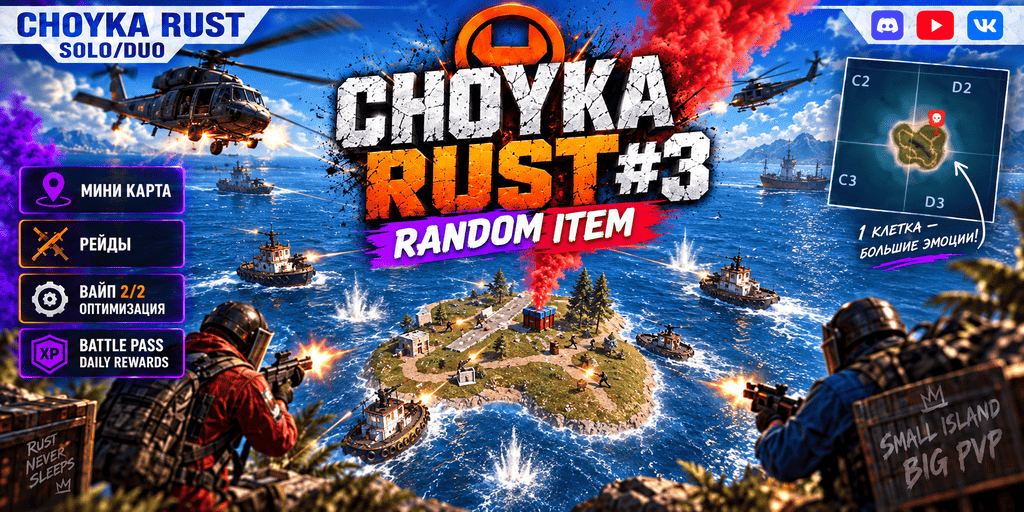
CHOYKA Rust №3 advertises a “One Grid” format, a “Zombie Mod” and custom maps.
404 RUST СИБИРСКИЙ advertises a 4,250-unit map and classic gameplay without mods.
Prestige PVE HARD x2 LOOT+,NPC, ZOMBIE, CUSTOM, QUEST, SKILLS offers a Rust server. A skill tree is part of progression. Quests are among the available activities.
#1 RUSTMAX PVE EASY x2/KIT/TP/BASE/EVENTS is a Rust server. Items can form larger stacks.
In its presentation read on October 6, 2026, COMBATRUST advertised a combat-training project in development, with ranked 1v1 duels.
1 players
AlexRust presents survival as its server’s focus on a procedural map.
СЛАБЫЙ VANILLA 2x sets gathering and item stacks to 2x and reduces upkeep by 70%. Teams have no size limit; teleportation and kits are absent. Recyclers, oil refineries and drone stations are present in fishing villages, the ranch and the barn.
#1 BroRust X5/X10 is a Rust server. Crafting is advertised as instant.
#1 DARKNESS X1000000 is a Rust server. Progression includes a rank system. A Battle Pass is among its listed features.
DOZA RUST #1 limits teams to five players and wipes on Mondays and Thursdays. It advertises improved loot, instant crafting without workbenches and monuments accessible without keycards.
DOZA Rust #2 advertises a “Max3” format and increased loot.
#2 WARZONE X5 [MAX 2 is a Rust server. Crafting is advertised as instant.
BroRust #3 allows crafting without workbenches and monument access without keycards. Its presentation sets a maximum group size of five.
#3 DOZA RUST X200/X500 advertises a limit of 5 players per group. Crafting is advertised as instant. Its presentation states that crafting does not require a workbench.
#3 WARZONE X5 [MAX 3 is a Rust server. Crafting is advertised as instant.
41 players
404 RUST 2X is a Rust server. Resource gathering is advertised at 2x.
Find a dedicated selection to browse or share. To refine this list, use the filters above.
Compare Rust hosting.
Copy the address and port from the listing. In Rust, press F1 to open the console, enter connect address:port, then press Enter.
Check rules, version and access requirements with the operator.
Read the exact mod list and versions. Follow the server’s instructions: a compatible game version may not be enough if your installation uses different content.
Check wipe dates, gathering rates and maximum team sizes. These settings affect the time your base needs and the groups you can join. Russian is an in-game language according to the operator or the server itself (its language setting, its own text or its official website). This is separate from the machine’s country.
The selected sort determines the listing order. Online player counts come from status queries, without votes or paid ranking. The map shows an estimated connection IP country. Language filters use operator declarations, server settings and text, or information from the official website. The source is shown on the listing. Machine country does not determine the in-game language.