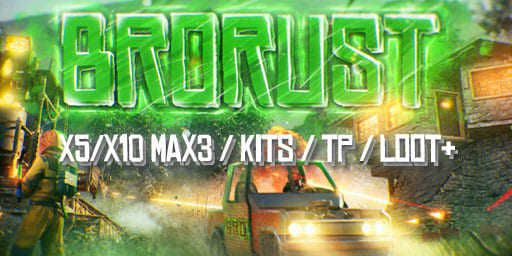
#1 BroRust X5/X10 is a Rust server. Crafting is advertised as instant.
BattleZone Survival PvE.
RustPC
 Game illustration
Join the server
Get helpRust
- Open Rust PC
- Press F1 to open the console
- Enter connect 72.9.148.33:28015, then press Enter
72.9.148.33:28015About BattleZone Survival PvE
BattleZone Survival PvE prohibits raiding, attacking and stealing from other players while filling the map with zombies and bots. The map and blueprints wipe on the first Thursday of each month. Scrap covers everyday costs and skill training at Bandit Camp; Gold Coins come from crates and NPC corpses to fund events. Raidable NPC bases cost blueprint fragments, and a private cargo ship can be chartered from any Fishing Village with Gold Coins. Some zombies try to raid you unless you kill them. Inactive players are removed after five days, seven for verified Discord members and ten for supporters.
Players and activity
Players online —Comparison unavailable
- Average
- 8
- Peak
- 28
Player history
Period
Measure
Typical day
Average players per 30-minute slot
Frequently asked questions
How do I join BattleZone Survival PvE?
To join BattleZone Survival PvE in Rust, use one of the addresses below in the game’s connection options. Check the server’s instructions for any requirements.
72.9.148.33:28015
How many players are connected right now?
72.9.148.33:28015— The current player count is not available.
Only measurements received within the last four minutes are shown here.
Which versions and platforms are supported?
Compatible versions have not been specified.
Declared platforms: PC.
Check the server’s requirements before joining; these details do not guarantee access from every version or device.
Is the server online and accessible?
72.9.148.33:28015— A recent status is not available for this address.
A successful check does not guarantee that you can join. Access rules, an allowlist or other requirements may restrict connections.
Where can I view the server’s statistics?
Open the server activity section to see the available measurements and periods with no data.
#1 DARKNESS X1000000 is a Rust server. Progression includes a rank system. A Battle Pass is among its listed features.

DOZA RUST #1 limits teams to five players and wipes on Mondays and Thursdays. It advertises improved loot, instant crafting without workbenches and monuments accessible without keycards.
BA
BattleZone Survival PvE72.9.148.33:28015